Best Of
Best Exercise Bikes 2026
Our complete ranking of the best indoor exercise bikes, from budget spin bikes to premium smart bikes with screens and live classes.
Last updated: March 2026
Peloton sells two bikes, and they look almost identical from across the room. The original Peloton Bike (now in its 3rd generation) starts at $1,445. The Bike+ costs $2,495. That is a $1,050 gap for two products that share the same frame style, the same subscription, and the same massive class library. So what exactly are you paying for with the plus sign?
We have spent several months riding both bikes back to back, logging hundreds of rides, and testing every feature that separates the two. The short answer is that the Bike+ upgrades are real, but whether they are worth the extra money depends entirely on how you plan to use your Peloton. Here is our detailed breakdown.
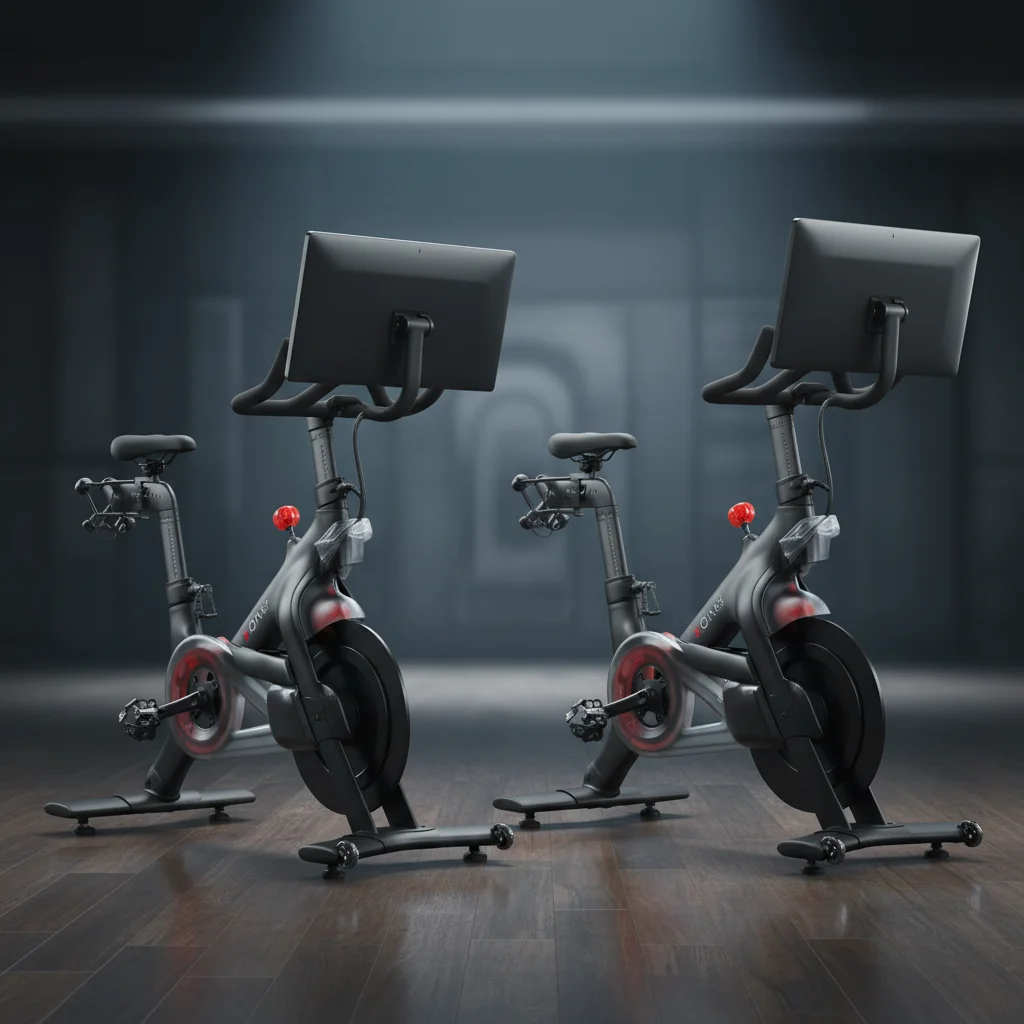
The original Peloton Bike delivers the core experience that made the brand famous: smooth magnetic resistance, a sharp 21.5-inch touchscreen, and access to the full Peloton class library. For riders who primarily do cycling classes, it is the smarter buy at $1,050 less than the Bike+.
$1,445 + $44/mo All-Access Membership
See Best Exercise BikesThe Bike+ is for riders who want the full Peloton ecosystem. The rotating screen transforms it into a floor workout station for strength, yoga, and stretching classes. Auto-follow resistance keeps you locked into the instructor's plan without touching the knob. If you will use it for more than just cycling, the Bike+ justifies its premium.
$2,495 + $44/mo All-Access Membership
See Best Exercise BikesHere is how the two Peloton bikes stack up on paper. We will break down what each difference means in real-world use below.
| Spec | Peloton Bike (3rd Gen) | Peloton Bike+ |
|---|---|---|
| Price | $1,445 | $2,495 |
| Screen | 21.5" HD touchscreen (fixed) | 23.8" HD touchscreen (360° rotating) |
| Resistance | Magnetic (manual knob) | Magnetic with auto-follow |
| Speakers | 2-channel rear-facing | 2.2-channel front-facing with woofer |
| Dimensions | 59" L x 23" W x 53" H | 59" L x 22" W x 59" H |
| Weight | ~135 lbs | ~140 lbs |
| Max Rider Weight | 297 lbs | 297 lbs |
| Subscription | $44/mo All-Access | $44/mo All-Access |
| Apple Watch GymKit | No | Yes |
| Auto-Follow Resistance | No | Yes |
The screen is the most visible difference between these two bikes, and it is the upgrade that matters most for how you actually use the Peloton day to day.
The original Bike comes with a 21.5-inch HD touchscreen that is fixed in a forward-facing position. You can tilt it up and down slightly, but it does not swivel side to side or rotate away from the bike. The display is sharp, responsive, and perfectly adequate for following cycling classes. Colors are vibrant, text is easy to read, and there is no noticeable lag when navigating the interface.
For pure cycling workouts, this screen does everything you need. The only limitation becomes apparent when you want to do off-bike workouts like strength training, yoga, or stretching. Since the screen faces forward and cannot rotate, you end up craning your neck or standing awkwardly to one side of the bike to see the instructor. It works, but it is not ideal.
The Bike+ screen is larger at 23.8 inches, and more importantly, it rotates a full 360 degrees. You can swivel it to face any direction in the room, which turns your Bike+ into a legitimate floor workout station. Hop off the bike, rotate the screen to face your mat, and follow a strength or yoga class with a clear view of the instructor.
This single feature is the biggest reason to consider the Bike+. If you plan to use your Peloton exclusively for cycling, the rotating screen is a nice-to-have but not essential. But if you intend to take advantage of Peloton's full content library, including strength, bootcamp, yoga, meditation, and stretching classes, the rotating display changes the experience from awkward to seamless.
Both bikes use magnetic resistance, which means smooth, quiet pedaling with no physical contact between brake pads and the flywheel. The riding feel is excellent on both. Where they diverge is in how that resistance gets adjusted.
On the original Bike, resistance is controlled entirely by the manual knob on the frame. When an instructor calls out a resistance range (say, 40 to 50), you turn the knob yourself. This is exactly how most spin bikes at gyms work, and it is perfectly intuitive. There is a resistance indicator on screen that shows your current level from 0 to 100, so you always know where you are.
The manual knob is not a drawback for most riders. It takes about one second to adjust, and many riders actually prefer the tactile control. You are in charge of your own ride, which some people find more empowering than having the bike decide for them.
The Bike+ adds auto-follow resistance, which is the second headline feature after the rotating screen. During a class, when the instructor calls out a resistance level, the Bike+ automatically adjusts the knob to match. You do not have to touch anything. The resistance changes are smooth and happen in real time, so you stay in the flow of the workout without breaking concentration.
Auto-follow is particularly useful during intense interval rides where resistance changes happen rapidly. Instead of fumbling with the knob every 15 seconds during a Tabata class, you can focus entirely on your output and the music. You can override auto-follow at any time by manually turning the knob, and the system will pause auto-adjustments until the next callout.
Is it a game-changer? For some riders, absolutely. For others, it is a convenience feature they could live without. During our testing, we found auto-follow most valuable during high-intensity rides and bootcamp classes where frequent resistance changes would otherwise be disruptive. For steady-state endurance rides, it matters far less.
The original Bike has two rear-facing speakers. They get the job done for a casual ride, but the sound is noticeably thin and lacks bass. At higher volumes, the audio can sound a bit tinny, especially with bass-heavy playlists. Most riders end up using Bluetooth headphones for a better audio experience, which somewhat negates the built-in speakers entirely.
The Bike+ upgrades to a 2.2-channel front-facing speaker system with a dedicated woofer. The difference is immediately noticeable. The speakers face you rather than firing toward the wall behind the screen, which is a simple design choice that makes a surprising amount of difference. Bass has real presence, vocals are clearer, and you can actually feel the energy of a high-tempo playlist without headphones.
For riders who enjoy the immersive experience of hearing the instructor and music through the bike itself rather than wearing earbuds, the Bike+ speakers are a meaningful upgrade. It is not audiophile-level, but it is a genuinely enjoyable listening experience that makes classes feel more like being in a studio.
From a design standpoint, both bikes share Peloton's signature aesthetic: matte black frame, clean lines, and an overall look that blends into a modern living space without screaming "gym equipment." The differences in dimensions are modest.
The original Bike measures 59 inches long, 23 inches wide, and 53 inches tall. At roughly 135 pounds, it is the lighter of the two, which makes initial placement easier. The compact footprint means you can fit it in a corner of a bedroom, home office, or apartment without it dominating the space. Peloton recommends a 24-by-48-inch area for safe use, which accounts for clearance around the bike and room for your knees.
The Bike+ is nearly identical in length and width (59 inches long, 22 inches wide) but stands six inches taller at 59 inches due to the larger, adjustable screen mount. It weighs about 140 pounds, just five pounds heavier than the original. The width is actually an inch narrower. In practice, both bikes require the same amount of floor space. The height difference only matters if you are placing the bike under a low shelf or sloped ceiling.
If you plan to use the rotating screen for floor workouts, you will want additional space next to or behind the bike for a yoga mat or exercise mat. Plan for about six feet of clear floor space adjacent to the bike for comfortable movement during strength and stretching classes.
Here is the good news: both bikes run the exact same software and give you access to the exact same content library. There is no paywall or exclusive content that only Bike+ riders can access. The $44/month All-Access Membership is identical on both bikes.
That means you get:
The only software difference is that the Bike+ supports auto-follow resistance integration within classes (the on-screen resistance targets are the same on both, but the Bike+ physically adjusts the knob for you). The Bike+ also supports Apple Watch GymKit, which lets you pair your Apple Watch directly with the bike for more accurate heart rate tracking and workout syncing. The original Bike supports Bluetooth heart rate monitors but does not have native GymKit integration.
For Apple Watch users, GymKit is a genuine convenience. Your workout data syncs seamlessly with the Health app, and the heart rate pairing is more reliable than standard Bluetooth. If you are deep in the Apple ecosystem, this is one more point in the Bike+ column.
Let us break down the total cost of ownership, because the monthly subscription is an ongoing expense that significantly affects the long-term value equation.
| Cost Component | Peloton Bike | Peloton Bike+ |
|---|---|---|
| Hardware | $1,445 | $2,495 |
| Subscription (36 mo) | $1,584 | $1,584 |
| Delivery & Setup | Included | Included |
| 3-Year Total | $3,029 | $4,079 |
| Monthly Equivalent | ~$84/mo | ~$113/mo |
Over three years, the Bike+ costs about $1,050 more than the original Bike, which is entirely the difference in hardware price since the subscription is identical. Put another way, the Bike+ upgrade costs roughly $29 more per month over three years.
For context, a boutique cycling studio like SoulCycle or Flywheel charges $30 to $40 per class. Even the Bike+ at $113 per month gives you unlimited rides for less than the cost of three studio classes. From that angle, both Peloton bikes are excellent value for anyone who rides regularly.
The question is whether the Bike+ upgrades (rotating screen, auto-follow resistance, better speakers, GymKit) are worth $1,050 to you. If you will use the rotating screen for floor workouts three or more times per week, the math works out to about $6.70 per month for that feature alone over three years. That is an easy yes for most people who want a multi-purpose fitness setup. If you only plan to cycle, save the money and go with the original Bike.
After spending months riding both bikes daily, here is our honest recommendation:
The bottom line: the Peloton Bike is the better value for dedicated cyclists. It delivers the exact same ride quality, the exact same classes, and the exact same community experience for $1,050 less. The Bike+ earns its premium only when you take full advantage of the rotating screen and auto-follow resistance. If you know you will use Peloton as a complete fitness platform and not just a cycling machine, the Bike+ is the better long-term investment. If cycling is your thing and everything else is secondary, save your money and go with the original.
The Bike+ is worth the upgrade if you plan to use the rotating screen for off-bike workouts like strength, yoga, and stretching, and if you value the convenience of auto-follow resistance during instructor-led rides. If you primarily stick to cycling classes and do not care about automatic resistance changes, the original Bike delivers essentially the same riding experience for $1,050 less.
Yes, both the Peloton Bike and Bike+ require the same $44 per month All-Access Membership to unlock live and on-demand classes, leaderboard features, and multi-user profiles. There is no difference in subscription cost or content between the two bikes. Without the membership, you can still use the bike for manual rides but lose access to the full class library.
Yes, both the Peloton Bike and Bike+ can be used without a subscription for free manual rides where you control resistance and track basic metrics like cadence, distance, and time. However, you will not have access to Peloton's library of thousands of live and on-demand classes, instructor-led rides, the leaderboard, or detailed performance tracking. Most owners find the subscription essential to getting full value from the hardware.
Auto-follow is a Bike+ exclusive feature that automatically adjusts your resistance knob to match the instructor's callouts during a class. When an instructor says to increase resistance to 45, the Bike+ does it for you. You can still override it manually at any time. This feature is not available on the original Peloton Bike, where you must turn the resistance knob yourself. Auto-follow makes it easier to stay in the flow of a workout without looking down at the screen.
Yes, the Peloton Bike+ screen rotates 360 degrees and can tilt to face different directions. This allows you to swivel the screen away from the bike to follow along with floor-based workouts like strength training, yoga, stretching, and bootcamp classes while standing next to the bike. The original Peloton Bike screen is fixed in place and only faces forward, which makes off-bike workouts less practical.
Our complete ranking of the best indoor exercise bikes, from budget spin bikes to premium smart bikes with screens and live classes.
How does Peloton stack up against NordicTrack's S22i and S32i? We compare screens, resistance, content, and value.
Love the connected cycling experience but want to explore your options? Here are the best Peloton alternatives at every price point.